
Photo Editing
To specify which editor should be used for manually correcting photos from Lab 50, you will need to configure the Photo Editing settings found under Photo
To specify which editor should be used for manually correcting photos from Lab 50, you will need to configure the Photo Editing settings found under Photo Processing.
Selecting a Preferred Photo Editing Tool
- At the top of the Menu bar, select Settings.
- On the left panel, select Photo Processing > Photo Editing.
- On the right panel, select the editor you would like to use.
- After making the necessary changes, press Apply Changes or Save and exit.
 |
The built-in editor offers standard tools to adjust the photo orientation, lighting, and color. Once editing is complete, the changes may be applied to the original photo or saved as a new file, and the editor may continue on to the next photos within the order or closed after a quick, single photo edit.
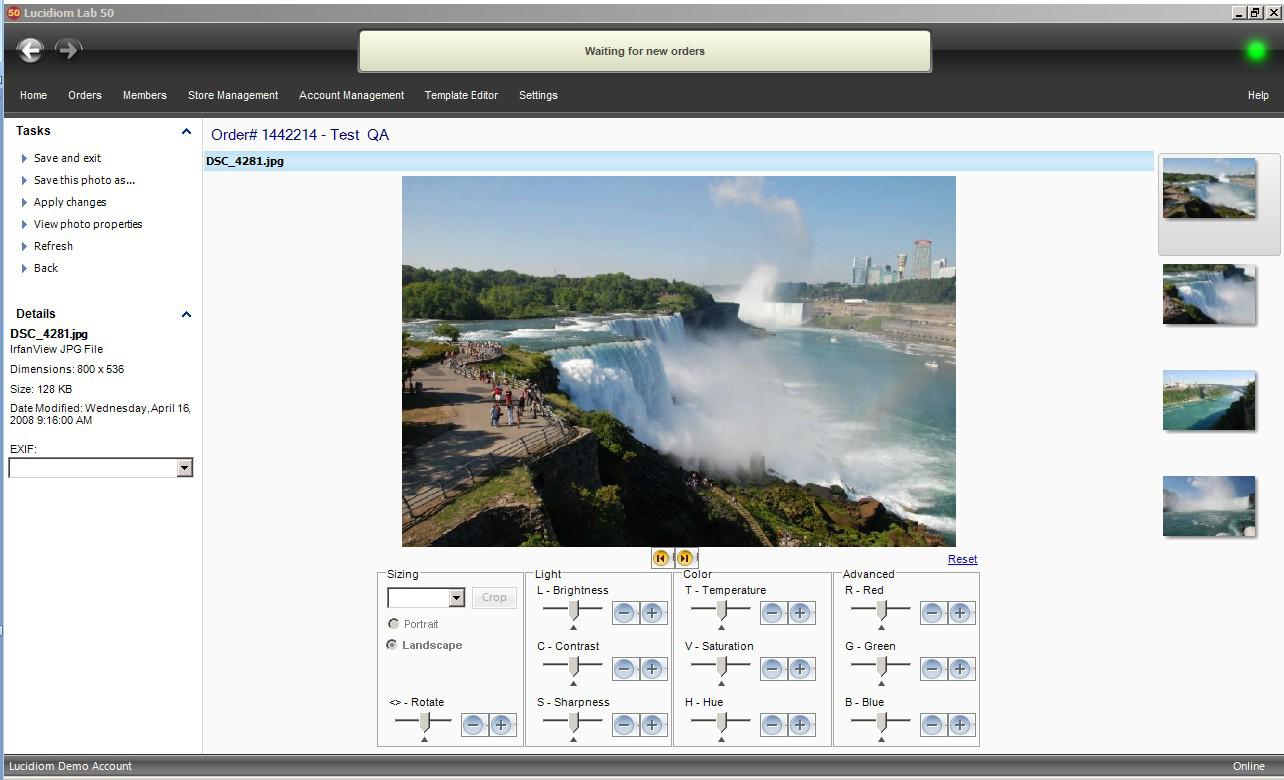 |
| Lab 50 Image Viewer |