
Order Backup Options
Enable order backup and configure disk cleanup settings in Lab 50 to automatically manage kiosk and web order storage over time.
Lab 50 by default will not backup kiosk or web orders. To enable order backup, you will need to access Settings > Order Management > Importing and check the box to backup imported orders.
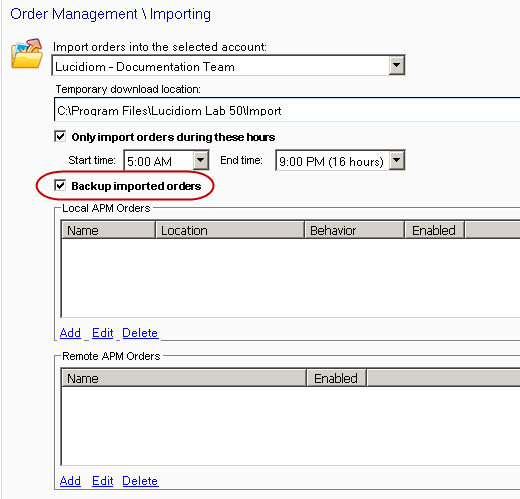 |
| Enabling Order Backup |
Additionally, you will need to access Settings > Order Management > Disk Cleanup, and specify the disk cleanup options that will affect your order backup.
You may disable the option to do a disk cleanup, which will require you to manually remove files, or you can specify the timeframe in days, weeks, or months for the software to do it automatically.
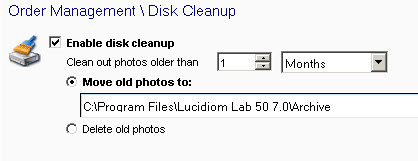 |
| Disk Cleanup |