Adding Bleed to Printable Products
Learn how to add bleed to printable products in Lab 50 using Folio Rendering settings to configure output sizes and content placement for folded cards.
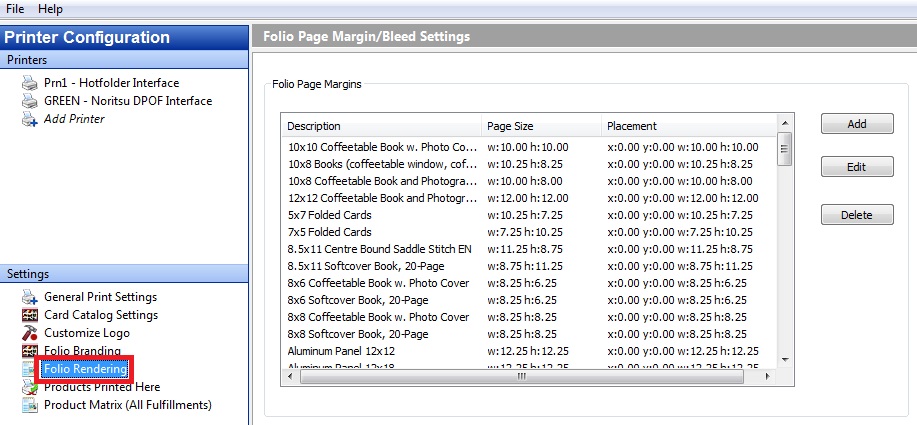
In Lab 50, go to the Setup Wizard for print server and select the setting, Folio Rendering. From there you can create unique output options for each product or group of products.
Step 1. Name the workflow. (Folded Cards)
Step 2. Select the products (5x7 folded, 7x5 folded)
Step 3. Select the new output size, (5.25x 7.3 this maintains aspect)
Step 4. Select the Content Placement. (Left: .0625, top .0625)
Step 5. Select the Content Width/Height (5.125x7.175)
This will give you a 5x7 card that will trim about an 1/16 of white from each side, and 1/16 of stretched image from each side. This may need to be adjusted based on the tolerance of your cutting equipment. The idea is that by making the image slightly less than the canvas size, you can trim less of the image and more white space.