
Enabling Media Products
Enable media products in Lab 50 by navigating to Store Management, Product Catalog, and Media Products to process CD and DVD orders.
In Lab 50, you will need to enable the option to use Back Lab Burner for processing CD and DVD orders. To do so, you'll need to enable media products in your product catalog. This may be done by accessing Store Management > Product Catalog > Media Products, right-clicking on the products you wish to offer, and selecting Enable the Selected Products.
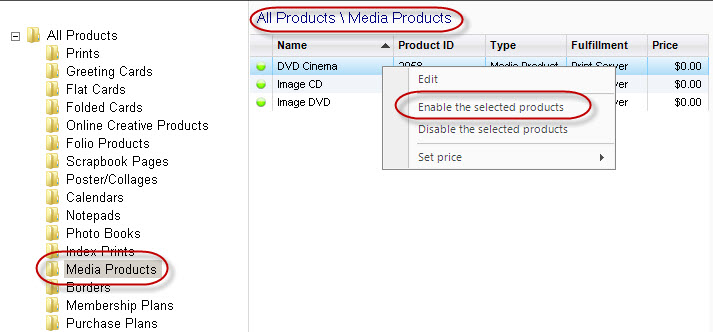 |
| Enabling Media Products in Lab 50 |