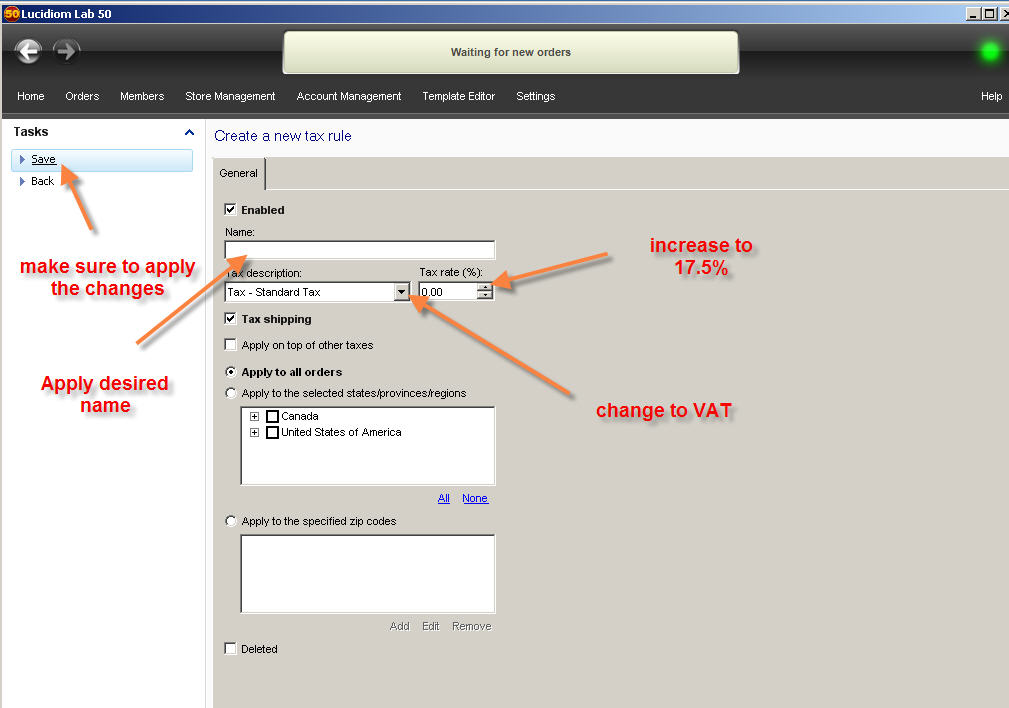
Adding a VAT Rate
Learn how to add a VAT rate in Store Management by creating or editing a Tax Rule and saving your changes correctly.
To add a VAT:
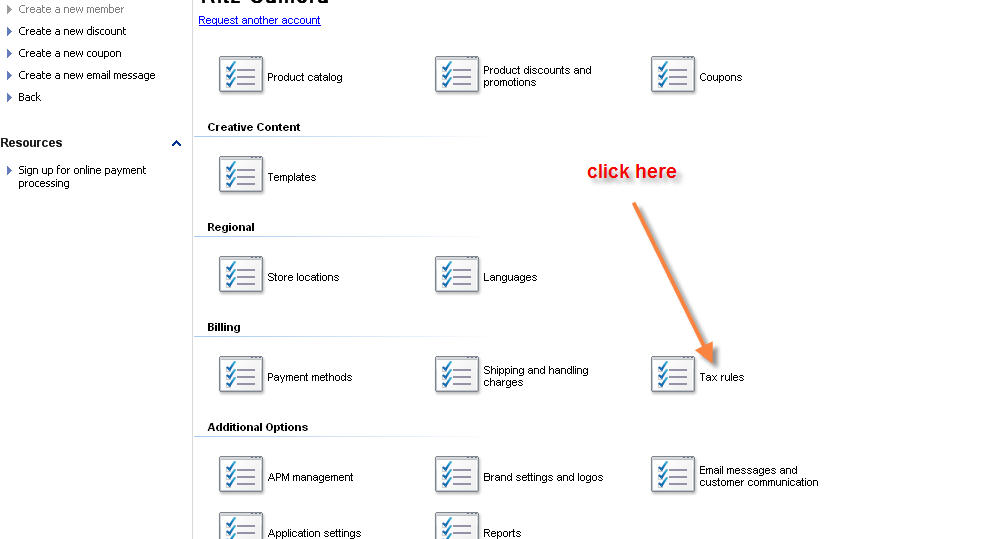
- Click on the Store Management tab on the top tab fields then Tax Rules
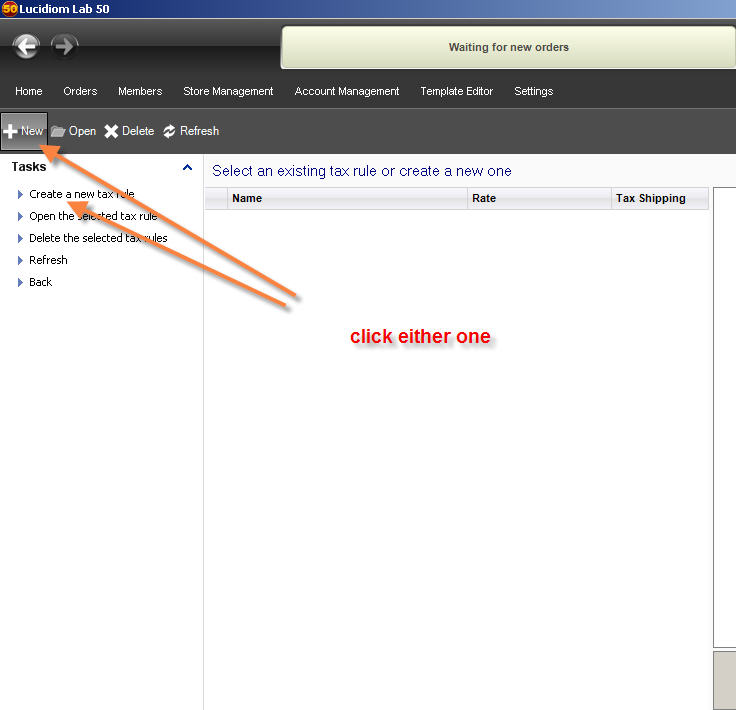
- If you don’t have an existing Tax Rule, click on New or Create a new Tax Rule. If there’s an existing rule, double-click on this specific Tax Rule.
- Once, the tax rule section open, please make sure you pick the VAT field in order to perform the change. Make sure you press Save to retain the changes