Product Options and Attributes
Photo Finale Website > Photo Finale Site Setup > Adding Products to Your PF Site > Adding creative (photo or template-based) products%20products.md)
Photo Finale Website > Photo Finale Site Setup > Adding Products to Your PF Site > Adding creative (photo or template-based) products
In myLab navigate to Store Management > Product Catalogs and select your active product catalog. Access a category and then select a specific product.
You can offer some choices for users in a text input field or pulldown menu.
The user cannot place the order without making a selection or entering text, so make sure your directions and choices allow for this.
Pro tip: make sure to check off the ENABLED button for the option to show on the site. You cannot offer both types of personalization on a single product.
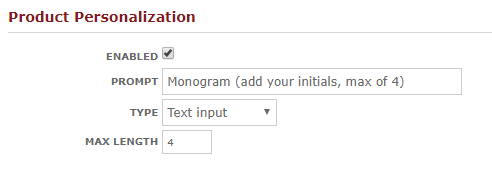
In myLab... you can have text input... click into the product and set:
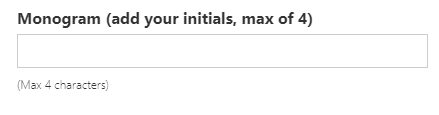
it will look like this on the site...
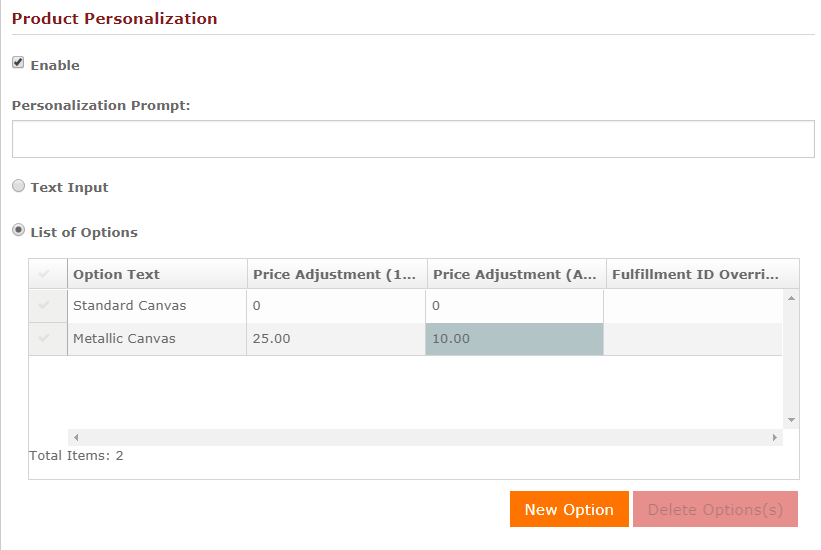
Or, you can use the List of Options type... which looks like this in myLab
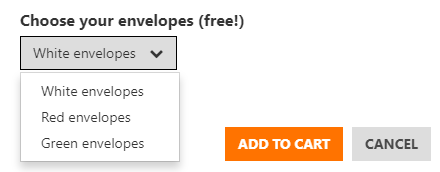
This is an example of how the list options will display on the website:
Add Prices to Attributes
As of Nov 2017, you can now associate prices and fulfillment IDs (use for routing in production).
If you do not put a price in the "Price Adjustment (Additional Units)" box then the price adjustment is only charged for the first unit and additional units charge the base price.
The point of having two separate fields for 1st Unit and Additional Units is to add flexibility and that would be shot if we automatically charged the same price for all units if a value is set in the "1st Unit" field. An example of where you might want to have a single upcharge fee that applies only once to the item, regardless of the quantity ordered, is a digital service like retouching. If it's $10 to hand-retouch an image, it doesn't make sense to charge the customer for each copy of the photo since the retouching is only being done once. In that case you'd have $10 in the 1st Unit field and leave Additional Units empty.
Special Setting for Print Products
Instead of a price, you can put "-1" into the price field to denote the "default" option. For example a "Glossy" print surface. No charge and if a customer selects it the dealer won't get every item tagged as having a a product option; it's just treated as the default.
Another special note about prints. The Product Personalization workflow for Print products was revamped in PF 16.8.1. Previously, all print attributes were treated as upgrades and a customer was given a "No Upgrade" choice in addition to the configured personalization options. With the new release, dealers are free to use print attributes as a choice between equal options that may not necessarily be considered upgrades. Existing print products with a list-of-options personalization have a new "No Upgrade" item that has been added to the each list to maintain backwards compatibility. Dealers are free to use myLab to remove this option on any products where the customer is being presented a choice that should require a mandatory selection.
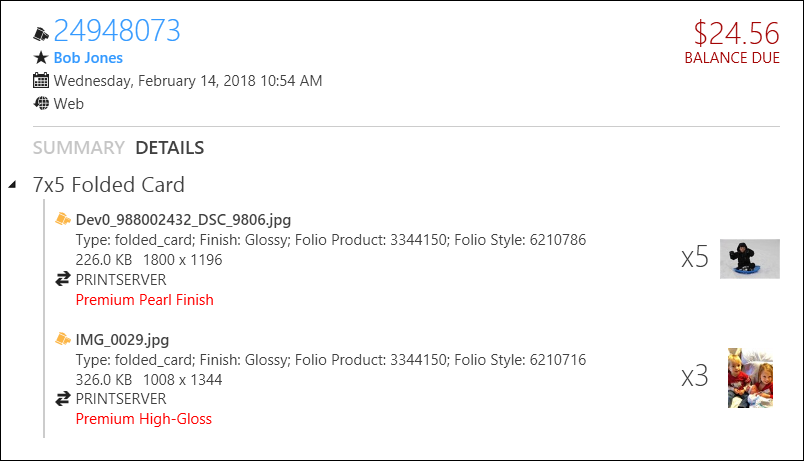
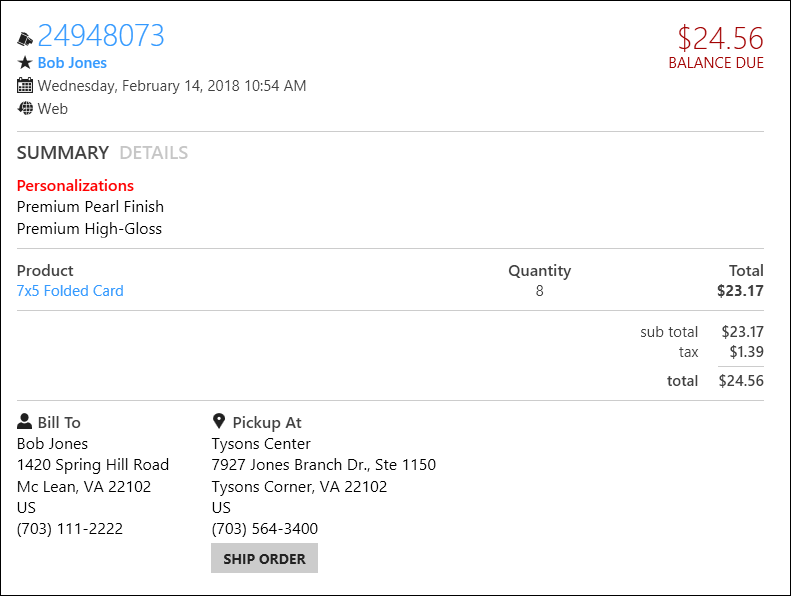
How Those Attributes Come Through For Production
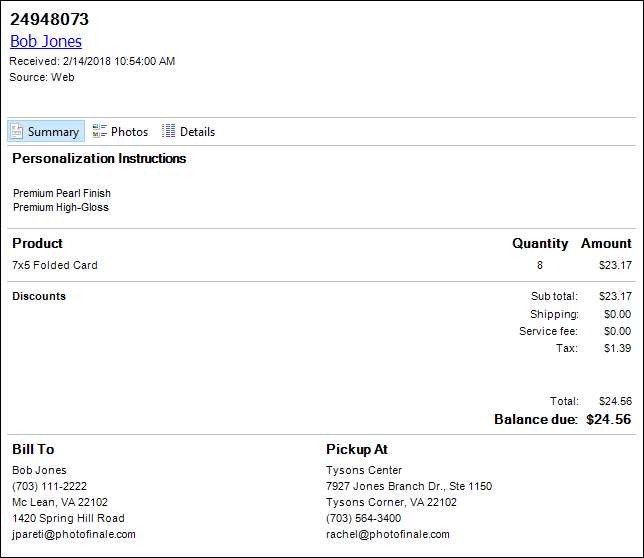
Lab 50 Order Summary
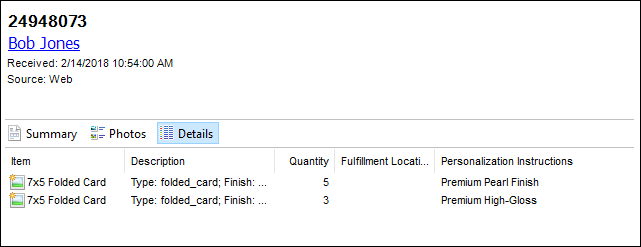
Lab 50 Order Details
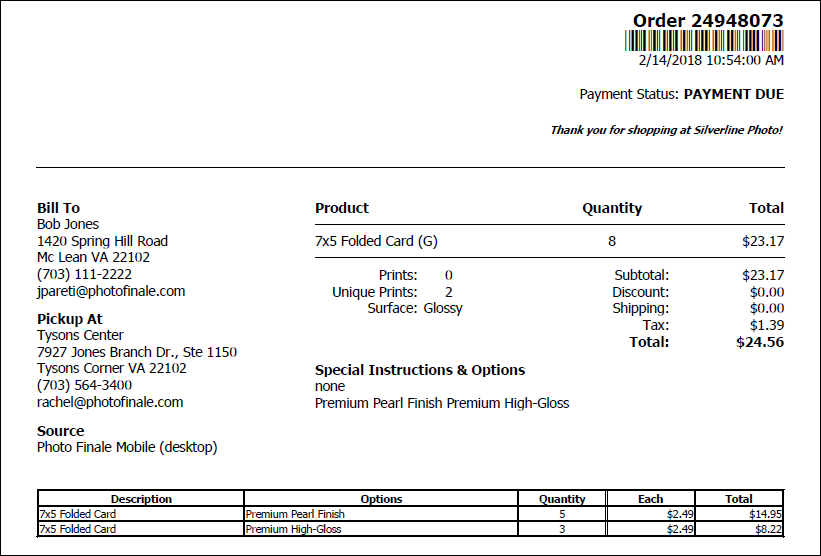
Printed Invoice
Print 50 Order Summary
Print 50 Order Details