
Order Render and Builder Functions
Answers to common questions about using myLab's Builder and Renderer to fix and re-render customer photo book projects.
Yes, the new functionality does give you the power to fix most customer issues with a creative product on your own.
Yes, that's correct. It's important that you make a note of the Project ID number. This is shown in the Edit Project popup and is also available in the URL on the editing page:
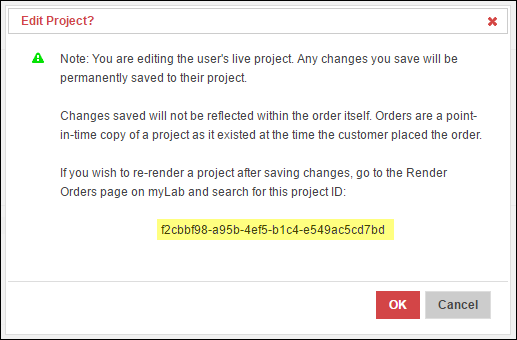

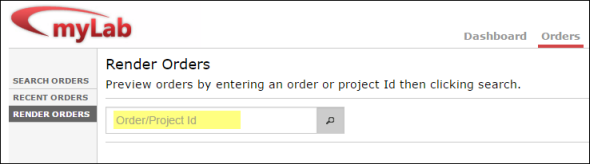
Once you have made changes to a project you must copy/paste that ID number into the search field on the Render Orders page to load the project by ID:
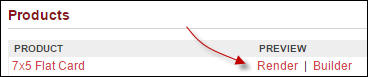
If you were to simply click on the "Render" link from the Order Details page, rather than search for the project ID, you would end up getting the point-in-time copy of the project that the customer placed the order with. You would not be getting any changes you made and saved to the project.
If you simply click on any of the thumbnail images from a rendering on the Render Orders page, the site will open a new window with a 300 DPI version of that page in JPEG format. You can then right-click on the image and download it from your browser.
Builder/Renderer on MyLab